How To Turn On & Control A Samsung TV Without The Remote
 Charlotte Adams
 TV owners can't experience all the features without a remote controller, but Samsung has a manual solution for when the remote can't be found.
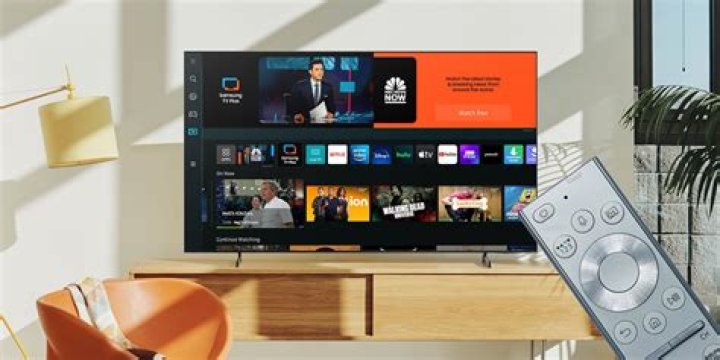
Samsung offers a large assortment of televisions that range from entry to some of the most expensive models in the market, but that doesn't mean the remote is any less prone to getting lost. Samsung is praised for its continued effort in hardware innovations, such as QLED, which enables fantastic brightness and a large color array. Samsung's integration with smartphones and tablets is also an added benefit, although television owners won't be able to take advantage of many of these features when the remote is missing or stops working.
Samsung TVs do come with a TV controller for times where the remote has disappeared or needs replacement batteries. The TV controller is a set of buttons that allows users to turn the TV on and off, change the volume, and switch between inputs. Most models can also access the Menu, Settings, Smart Hub features. However, finding the TV controller can be tricky as its location depends on the model. The TV controller is typically located near the small red light, which is active when the TV is turned off, but connected to a power outlet.
According to Samsung, there are three main locations for the TV controller; on the back of the TV, in the middle under the front panel, or on the side under the front panel. The TV models that have the TV controller located on the back include 2019 and 2020 The Serif, 2018's NU7100 and NU7103, 2017's MU6100, MU6103, and MU6300, 2016's KU6000, 2015's J5500, J6200, JU6400, JU6600, JU7000, JU7500, JS7200, JS 8000, JS9000 and JS9500, and 2014's H4000, H5000, H5500, H6300, H6400, H7000, H8000, HU7000, HU7200, HU8500, and HU9000.
Models with the TV controller in the middle under the front panel include all The Frame models from 2017 to 2020. In addition, 2020's TU8000, Q60T, Q70T, Q80T, and Q95T, 2019's RU7100, RU8000, Q60R, Q75R, Q80R, and Q90R, 2018's NU7400, Q7FN, Q8FN, and Q9FN, 2017's MU9000, Q8C, Q7FA, and Q9FA, and 2016's KS9000, and KS9005. Finally, the TV models with the TV controller located on the side under the front panel include 2020's Q800T and Q950T, 2019's N5300 and Q900R, 2018's NU8000, NU8500, and Q6FN, 2017's M5500, MU6400, MU6500, MU7000, MU8000, and Q6FA, 2016's K5310, K5500, KU6500, KU7000, KU7500, KU7510, KS8000, and KS8005, and 2015's J4100 and J5100.
Using Samsung's TV Controller
The bottom right corner on the back of the TV is the most common location of the TV controller. It has a control stick design which allows for vertical and/or horizontal toggling. The control menu appears on the TV screen once the stick is pressed. A long press of the stick turns the TV on and off, and a single press selects an option. The TV controller located under the front panel has varied layouts. For TVs with a TV controller in the middle, there is either a five-button or single-button design. The five-button layout will have a center, up/down, and left/right buttons. A long press of the center button will turn the TV on and off while a single press makes a selection. The up/down buttons will change the channel and the left/right buttons will control the volume. A control menu will appear on the TV screen when the center button is pressed and there will be options for each button.
Certain 2018 models will have a single-button design. A long press will turn on the TV and/or select an option, and a single press will display the control menu and/or move between options. Users will be to maneuver to the "Power" option in the control menu to turn off the TV. The single-button layout is present for all models that have a TV controller located on the side under the front panel. Of course, those who do not wish to use the TV controller can always download the SmartThings app on their smartphone or tablet. The SmartThings app allows Samsung Smart TV owners to use their device as a remote. SmartThings is available on the Google Play Store and Apple's App Store. Other options include purchasing a third-party universal remote or ordering a replacement remote from Samsung.
Next: How To Restart & Factory Reset A Samsung Smart TV
Source: Samsung